Early adopter offerSubscribe to a paid plan by March 31, 2027 and get 50% off the base fee for 3 months50% off paid plans for 3 monthsD-160Learn more
Features

Everything you need to run customer support

Chat, chatbots, multilingual, analytics, API, security — every support capability your business needs in one platform.

AI auto-response

AI answers first — and keeps helping after an agent is requested

When a customer opens the chat, the AI bot answers right away. Asking for a human doesn't switch it off: the AI keeps the customer company until an agent joins, then drafts replies for the agent.

1. AI first response

From order lookups to exchange policies, answered instantly

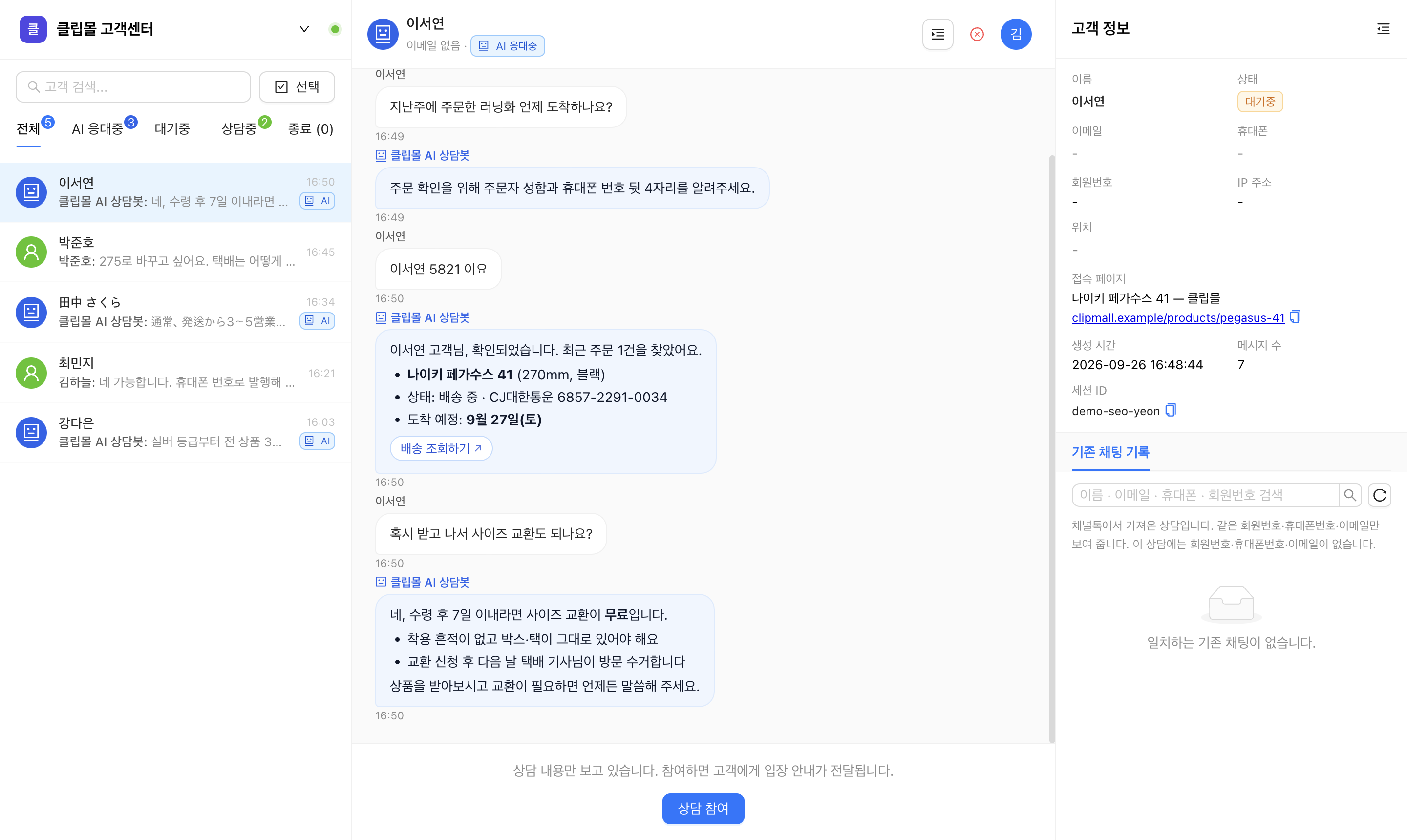
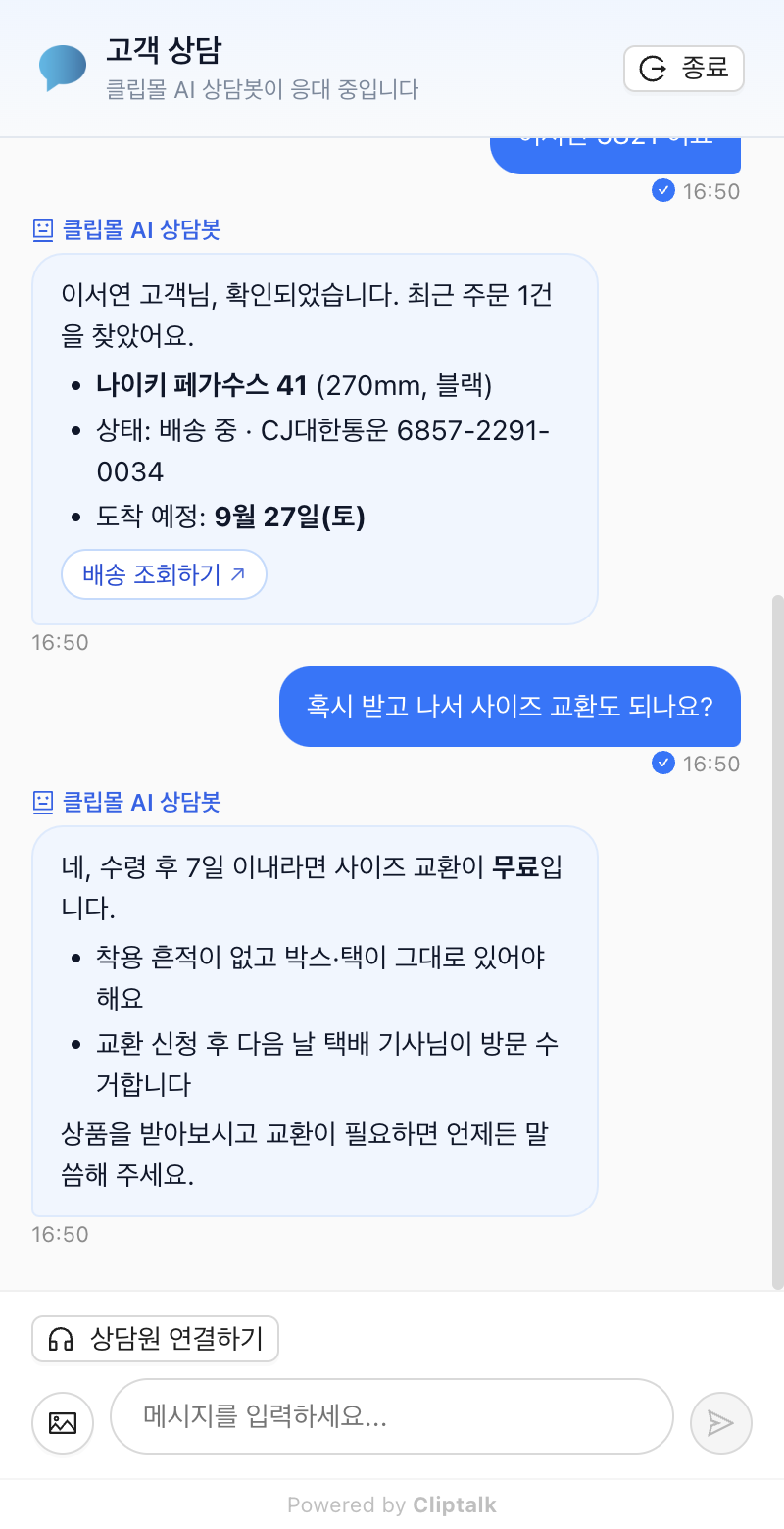
The AI verifies the customer, looks up orders and shipping, and answers from your notices and FAQ. Agents watch the conversation in the console and can join at any time.
Instant replies 24/7 — no queue
Order and booking lookups after identity check (with API integration)
Answers from your notices, FAQ and policies — never guesses
Customers can switch to a human anytime with "Talk to an agent"
app.cliptalk.net/agent
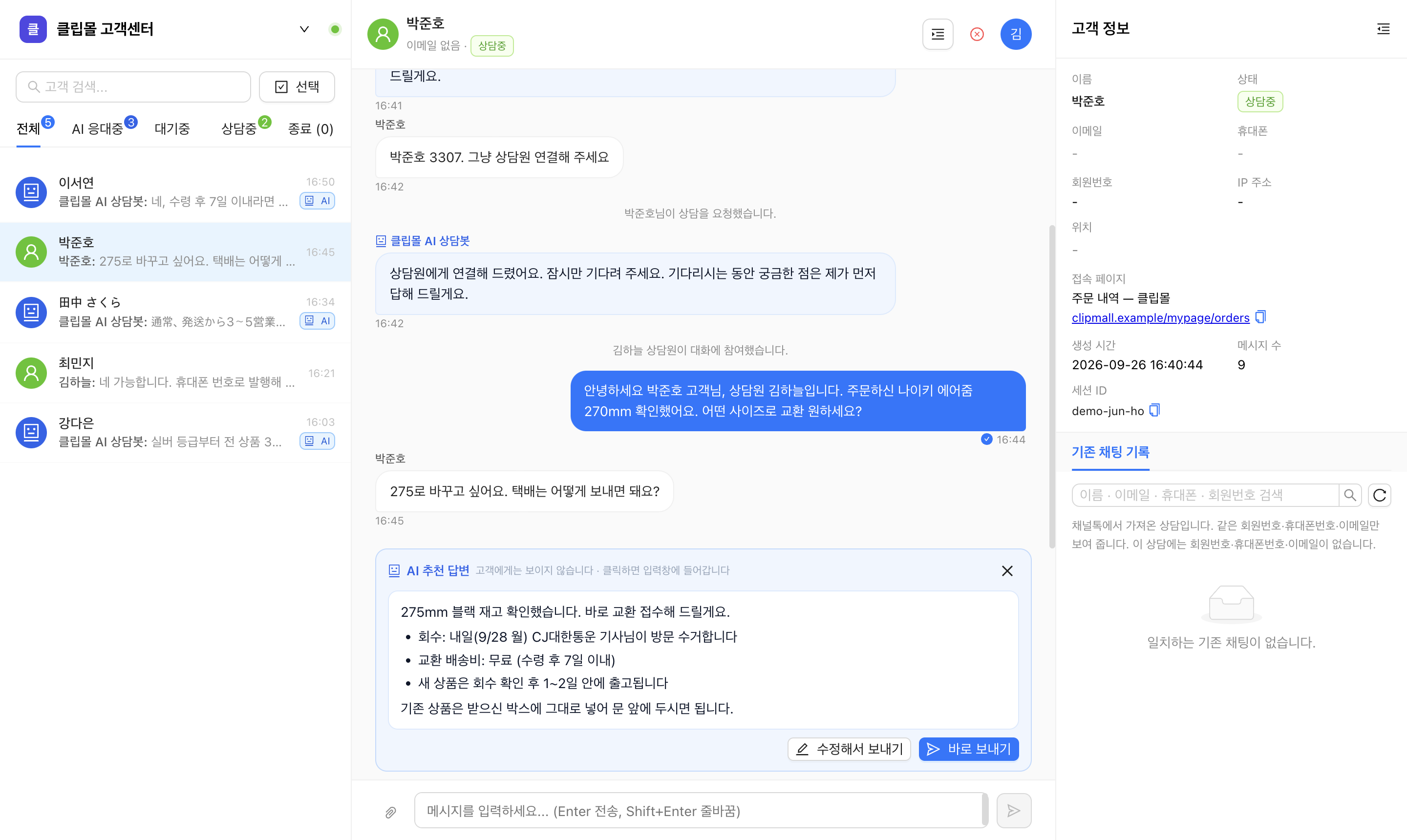
Agent console showing a conversation the AI is handling
Customer chat where the AI bot explains shipping status and the exchange policy
app.cliptalk.net/agent
Agent console with an AI suggested reply in a conversation the agent has joined
2. AI keeps working after hand-off

Requesting an agent doesn't stop the AI

Until an agent joins, the AI keeps answering so customers don't drop off. Once an agent is in, the AI drafts a reply for every customer message — visible only to the agent.

AI keeps answering while the customer waits for an agent
A draft reply for every customer message once the agent joins (hidden from the customer)
Send it in one click, or edit before sending
When the customer keeps typing, the draft stays on screen and only its text updates
For foreign-language customers, a translated draft is prepared too

Screens are the real Cliptalk UI for the demo shop "Clipmall" (Korean interface).

Live chat

Talk to website visitors in real time. Boost satisfaction with quick replies and route conversations automatically for efficient support.

Install the widget with a single line of code
Receive messages with visitor behavior and page context
Auto-assignment and queue management
Attachments, images, and link previews

Scenario chatbot

Combine messages, choices, info collection, and agent-handoff nodes to design always-on conversation flows. Bots handle FAQs while agents tackle complex inquiries.

Drag-and-drop scenario builder
Choice / info-collection / branching nodes
Smooth agent handoff via dedicated nodes
Per-scenario analytics for flow optimization

Multilingual support

Korean, English, Japanese, Chinese and more — talk to global customers without language barriers.

Auto-localized widget UI
Detects visitor browser language
Operate scenarios per language
Guidance when agent and customer use different languages

Analytics

Real-time analytics turn conversation data into insight. Surface response time, satisfaction, and trends at a glance.

Response time / handle time / satisfaction metrics
Compare performance by agent, time, and page
Pass-through rates per chatbot node
Export to external systems via CSV / API

API integrations

Connect to your CRM, e-commerce, and helpdesk to consolidate customer data and automate conversation flows.

REST API and Webhooks
Identify visitors and pass attributes
Stream conversation events to external tools
Scales to high traffic (Premium and above)

Enterprise-grade security

End-to-end SSL/TLS, hashed password storage, and access logging keep customer data safe.

SSL/TLS encryption in transit
Hashed password storage (bcrypt)
Role-based access control (Owner / Admin / Agent)
SSO / SAML on Enterprise plans

Which plan fits your team?

Compare seats, conversation volume, and chatbot options on the pricing page.